
The UX Leader’s Playbook: Using Gestalt Principles to Design Intuitive Digital Experiences
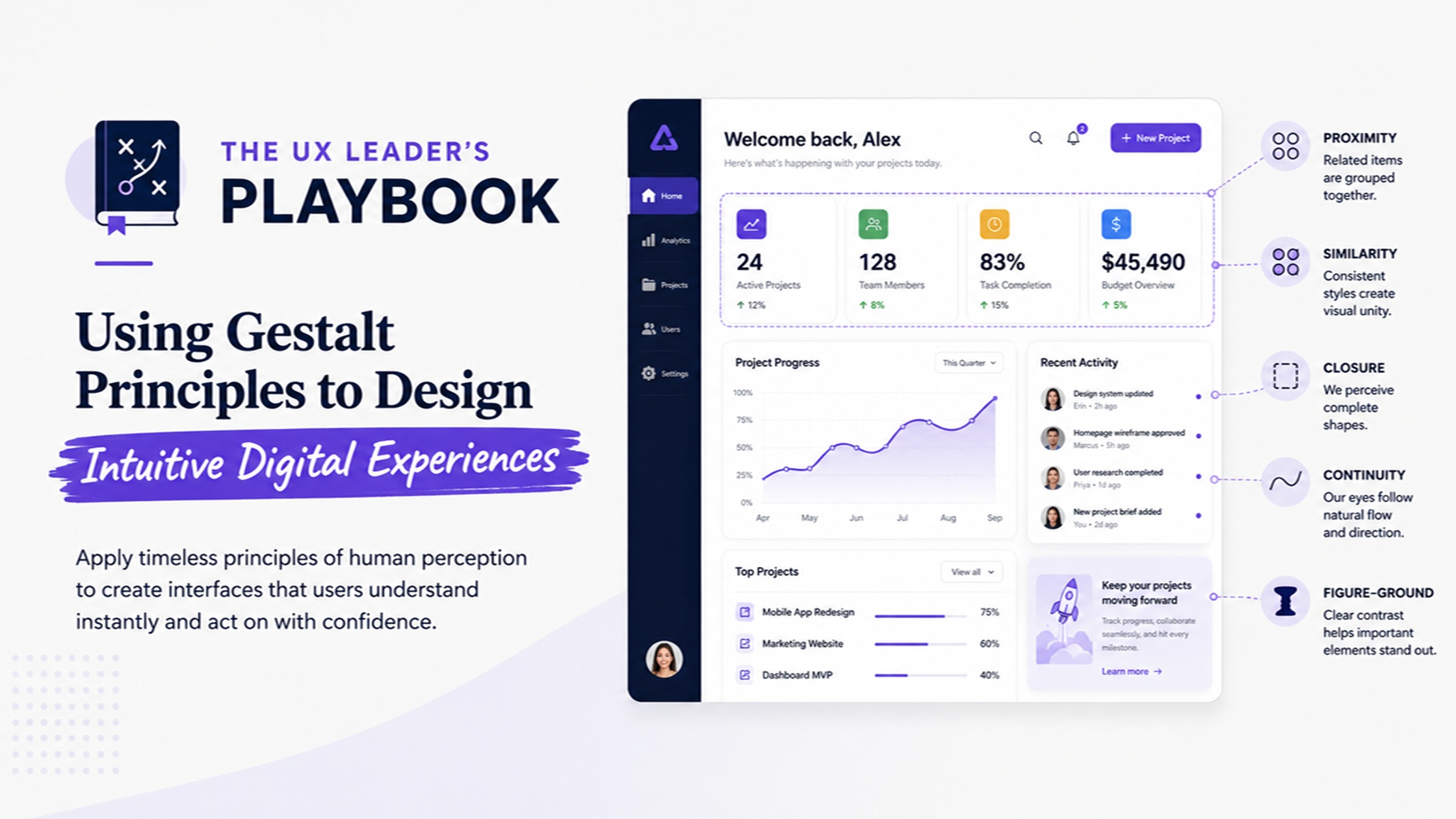
Creating an intuitive digital experience is no small feat. As a UX leader, you want to ensure that users connect seamlessly with your design. The secret sauce lies in understanding how the human brain processes visual information. Enter Gestalt principles—a powerful toolkit for designers aiming to craft user experiences that feel natural and engaging.
These psychological concepts help shape how we perceive elements within a layout, guiding users effortlessly through interfaces. By tapping into these principles, you can elevate your designs from ordinary to extraordinary. Let’s dive deeper into the world of Gestalt theory and discover how it can transform your approach to user experience design!
Understanding Gestalt Theory
Gestalt Theory explores how humans perceive visual elements as whole forms instead of individual parts. This approach emphasizes our mind’s ability to organize stimuli based on patterns and relationships, making it crucial for design.
Understanding these principles is key for UX leaders aiming to create intuitive interfaces. By leveraging Gestalt concepts, designers can enhance user interactions, ensuring that experiences feel seamless and natural.
The Key Ideas Behind Gestalt Theory
Gestalt Theory emphasizes the idea that humans perceive entire forms rather than just individual elements. It suggests our minds naturally organize visual information into cohesive patterns, making it essential for design.
This approach highlights how context influences perception. Designers can leverage these principles to create intuitive interfaces that guide user experiences seamlessly, ensuring interactions feel natural and straightforward. Understanding this theory enhances a designer’s ability to engage users effectively through their work.
Summary of Gestalt Principles
Gestalt principles are core concepts that explain how humans perceive visual elements as unified wholes. These principles include proximity, similarity, continuity, closure, and figure-ground relationships. Each principle plays a crucial role in guiding users’ interpretations of design.
By understanding these principles, designers can create intuitive interfaces that align with natural human perception. This alignment enhances user experience by making interactions smoother and more efficient across various digital platforms.
Law of Prägnanz and its Application in UX Design
The Law of Prägnanz suggests that users perceive complex images in the simplest form. This principle emphasizes clarity, promoting designs that are easy to understand and interact with. By applying this law, designers can create layouts that reduce cognitive load.
In UX design, prioritizing simplicity enhances user satisfaction. Clear navigation and straightforward elements guide users effectively. Simplified visuals foster intuition, making digital experiences more engaging and accessible for all users.
Gestalt Principles in UI Design
Gestalt principles play a vital role in UI design by guiding how users perceive and interact with visual elements. Designers can create harmony and coherence by applying these principles, making interfaces more intuitive.
For instance, using proximity helps group related items together. This clever arrangement encourages users to navigate effortlessly through the interface without confusion. By integrating these concepts effectively, designers enhance usability while fostering user satisfaction.
Implementing Gestalt Principles in User Experience
Implementing Gestalt principles in user experience design enhances how users interact with digital products. By understanding these psychological concepts, designers can create more intuitive and engaging interfaces that capture user attention effectively.
Each principle serves a unique purpose, guiding the user’s perception and interaction patterns. Thoughtful application leads to seamless navigation and improved satisfaction, ultimately fostering a positive emotional connection between users and the product they’re engaging with.
Leveraging Emergence in Design
Emergence in design refers to how users perceive complex patterns from simple elements. By applying this principle, designers can create interfaces that guide user attention effortlessly.
When multiple components work together, they form a cohesive whole. This synergy enhances usability and fosters intuitive navigation. Emphasizing key features through emergence allows designers to craft experiences that resonate deeply with users, making interactions feel natural and fluid.
Utilizing Reification for Intuitive Experiences
Reification refers to the mind’s ability to perceive complete forms even when elements are missing. This principle can significantly elevate user experiences by encouraging users to fill in gaps, enhancing engagement with your design.
By strategically using reification, designers can guide users through an interface seamlessly. For example, silhouettes or partial images allow users to infer shapes and connections, creating a sense of wholeness that leads to intuitive navigation and interaction.
Enhancing User Engagement through Multi-stability
Multi-stability in design creates a dynamic user experience by allowing users to interpret elements in various ways. This flexibility encourages curiosity and exploration, keeping users engaged with the interface longer.
By presenting visual cues that can be perceived differently, designers invite interaction. Users feel empowered to navigate their own understanding of content, resulting in a more memorable and satisfying journey through the digital landscape. Engaging experiences foster loyalty and encourage return visits.
Applying Invariance for Effective Recognition
Invariance helps users recognize elements across different contexts. By maintaining consistent shapes, colors, and layouts, designers create familiarity. This reduces cognitive load and allows for quicker navigation.
When users encounter familiar patterns in a new setting, they feel more at ease. Implementing invariance fosters an intuitive experience that enhances usability. It encourages seamless interactions with the digital interface while improving overall satisfaction.
Creating Closure and Fostering User Engagement
Creating closure in design means guiding users towards a sense of completion. This can be achieved through visual cues that suggest an ending, such as borders or lines. These elements help users feel satisfied with their interactions.
Fostering engagement often relies on how well users perceive the whole from its parts. When they can easily recognize completed tasks or ideas, it encourages exploration and deeper involvement with the digital experience, enhancing overall satisfaction.
Achieving Symmetry, Order, and Balance in Design
Symmetry, order, and balance are essential elements in design that create visual harmony. When a layout is symmetrical, users find it more appealing and easier to navigate. Balanced designs draw attention without overwhelming the viewer.
Utilizing grids can help achieve this balance while providing structure. By distributing visual elements evenly, designers encourage user engagement and foster a sense of stability within the digital experience, making navigation feel intuitive and seamless.
Enhancing the User Interface with Figure/Ground Relationship
The figure/ground relationship plays a crucial role in user interface design. It helps users distinguish important elements from their background, guiding attention effectively. By creating clear contrasts between foreground and background, designers can enhance usability and ensure that key actions stand out.
Utilizing this principle means considering color schemes, contrast ratios, and spacing. Thoughtful application fosters intuitive navigation, allowing users to focus on essential tasks without unnecessary distractions in the visual landscape.
Improving User Experience with Proximity and Continuation
Proximity plays a crucial role in how users perceive and interact with digital elements. By grouping related items closely, designers can signal connections, making interfaces easier to navigate. This intuitive organization helps users process information more efficiently.
Continuation further enhances this experience by guiding the eye along predictable paths. When visual elements align or flow into one another, it creates a seamless journey for users as they explore content. This approach fosters engagement and boosts usability significantly.
Exploring Common Fate and Parallelism for Cohesive Designs
Common fate and parallelism create a sense of unity in design. When elements move together or align, users instinctively group them. This principle fosters cohesion, allowing for better navigation through digital experiences.
Incorporating these ideas can enhance clarity and streamline user interactions. By arranging items that share movement or direction, you create visual pathways that guide attention efficiently. Such strategies help users quickly understand relationships between different components on the screen.
Leveraging Similarity and Common Regions for Consistency
Using similarity in design elements can create a sense of harmony. When users see related items grouped visually, they quickly understand their connection and purpose. This fosters an intuitive experience.
Common regions further enhance this consistency by reinforcing associations among elements within defined spaces. By organizing your layout effectively, you guide users seamlessly through their journey. They’ll appreciate the clarity as it reduces cognitive load while navigating your site or app.
Case Studies and Practical Applications
Exploring real-life case studies reveals the effectiveness of Gestalt principles to design. Companies have successfully integrated these ideas, enhancing user experience and engagement. For instance, e-commerce websites utilize proximity and similarity to guide users seamlessly through product selections.
Practical applications can be seen in mobile apps where intuitive layouts lead users directly to key functions. These examples highlight how understanding human perception shapes compelling digital experiences that resonate with audiences across diverse platforms.
Best Practices for Designing Focal Points in User Interfaces
Creating clear focal points in user interfaces requires strategic use of color, contrast, and size. Highlight important elements by making them stand out from their surroundings. This draws users’ attention where it’s needed most.
White space plays a crucial role as well; it can isolate key components and enhance clarity. Always consider the visual hierarchy to guide users naturally through your design, ensuring they engage with the most critical information effortlessly.
Additional Resources and Further Reading
For those eager to delve deeper into the world of Gestalt principles and their application in UX design, a wealth of resources is available. Books like “Gestalt Psychology: An Introduction” provide foundational knowledge, while online courses from platforms such as Coursera or Udemy offer practical insights.
Websites dedicated to user experience often feature articles and case studies that highlight successful implementations of these principles. Engaging with communities on forums like Reddit’s UX Design subreddit can also spark new ideas and discussions.
Attending webinars and industry conferences focused on design innovation can further expand your understanding. By continuously exploring these avenues, you’ll enhance your ability to create intuitive digital experiences grounded in Gestalt principles.